User Guide

Overview

Welcome to NourAthan. This guide will help you understand the core features of the app for a seamless, ad-free worship experience.

NourAthan features five main tabs:

Prayer TimesAccurate daily prayer times based on your location.
Qibla CompassFind the direction of the Kaaba easily.
Dhikr CounterDigital Tasbeeh with preset targets and session tracking.
Hijri CalendarFull Islamic calendar with events and Ramadan tracker.
SettingsCustomize calculation methods and notifications.
LocalizationFully supports Arabic out of the box.

Prayer Times (Home Screen)

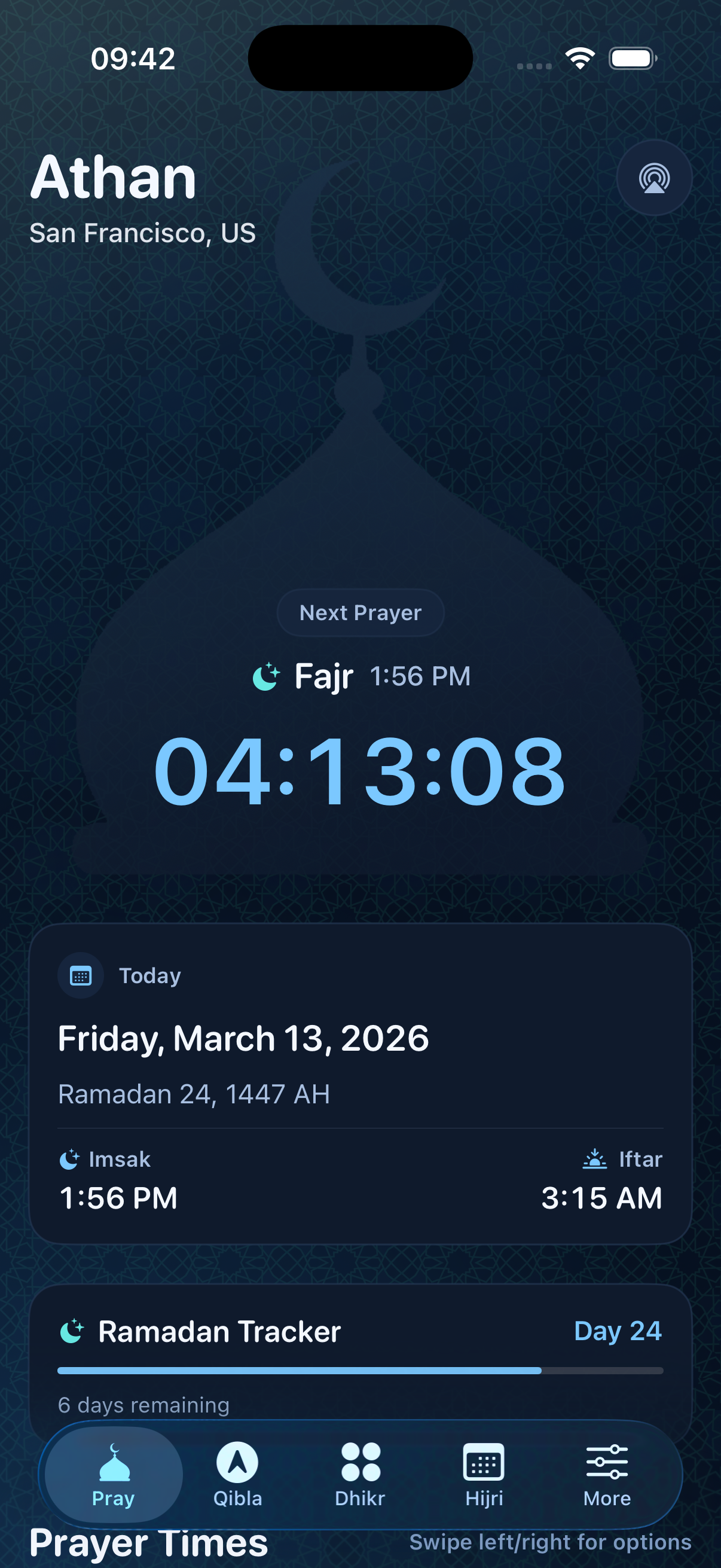
The main Prayers tab provides accurate local prayer times, visual progress tracking, and easy notification management.
1
The Dome Visualization shows the current prayer in the center and tracks the time remaining until the next prayer.
2
The Countdown Timer at the top clearly shows exactly how much time is left until the next Adhan.
3
The Prayer List displays all daily times (Fajr, Sunrise, Dhuhr, Asr, Maghrib, Isha) with the current prayer highlighted.
4
Tap the Bell Icon next to any prayer to easily toggle its specific notification settings on or off.
Prayer Times Home Display

Finding the Qibla

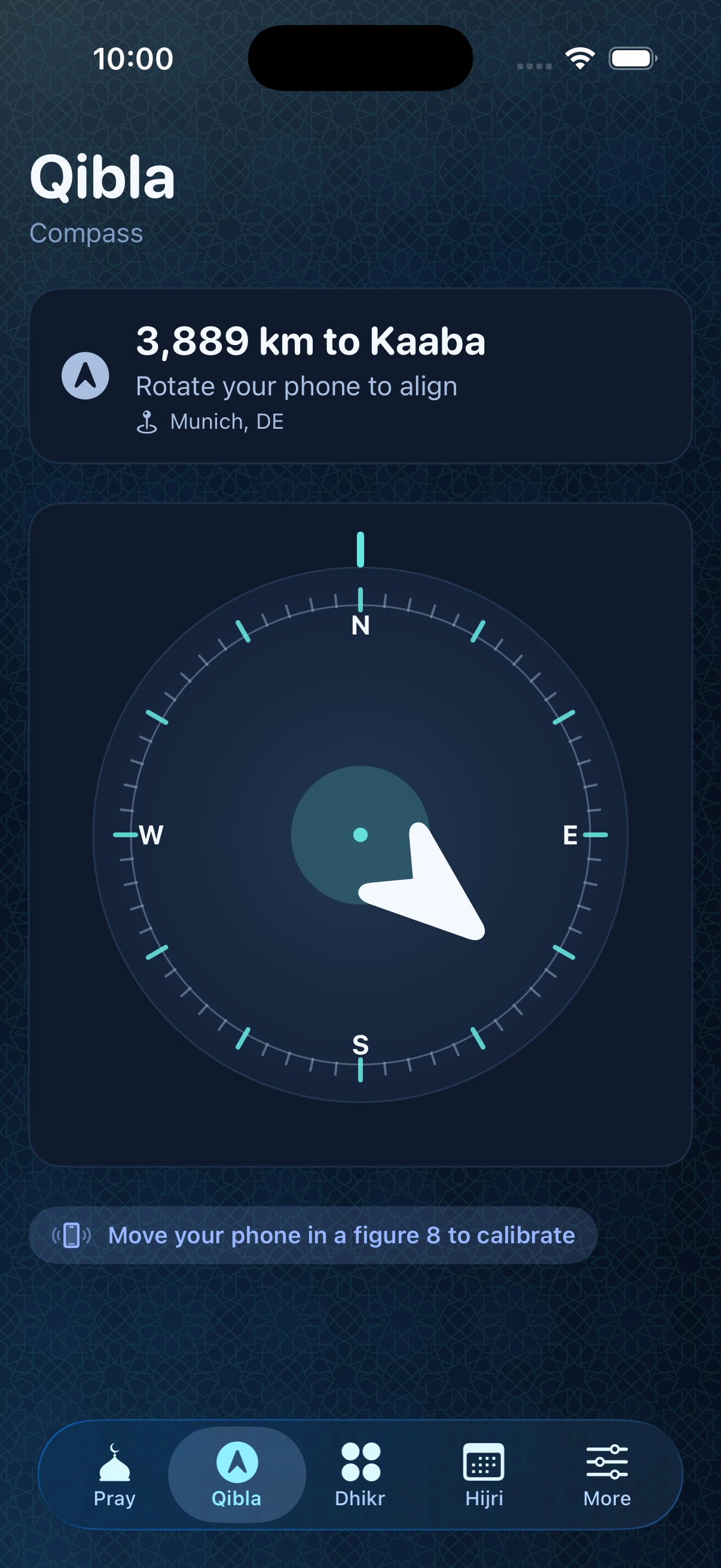
The Qibla compass helps you determine the correct direction for prayer from anywhere in the world.
1
Open the Qibla tab from the bottom navigation.
2
Allow location access if prompted so the app can calculate the direction.
3
Hold your device flat. The compass will point towards the Kaaba.
Qibla Compass Display

Home Screen Widgets

Keep track of upcoming prayers seamlessly directly from your iOS Home Screen without opening the app.

1
Long-press on your Home Screen.
2
Tap the '+' icon to open the widget gallery.
3
Search for NourAthan and select your preferred widget size.

Dhikr Counter (Tasbeeh)

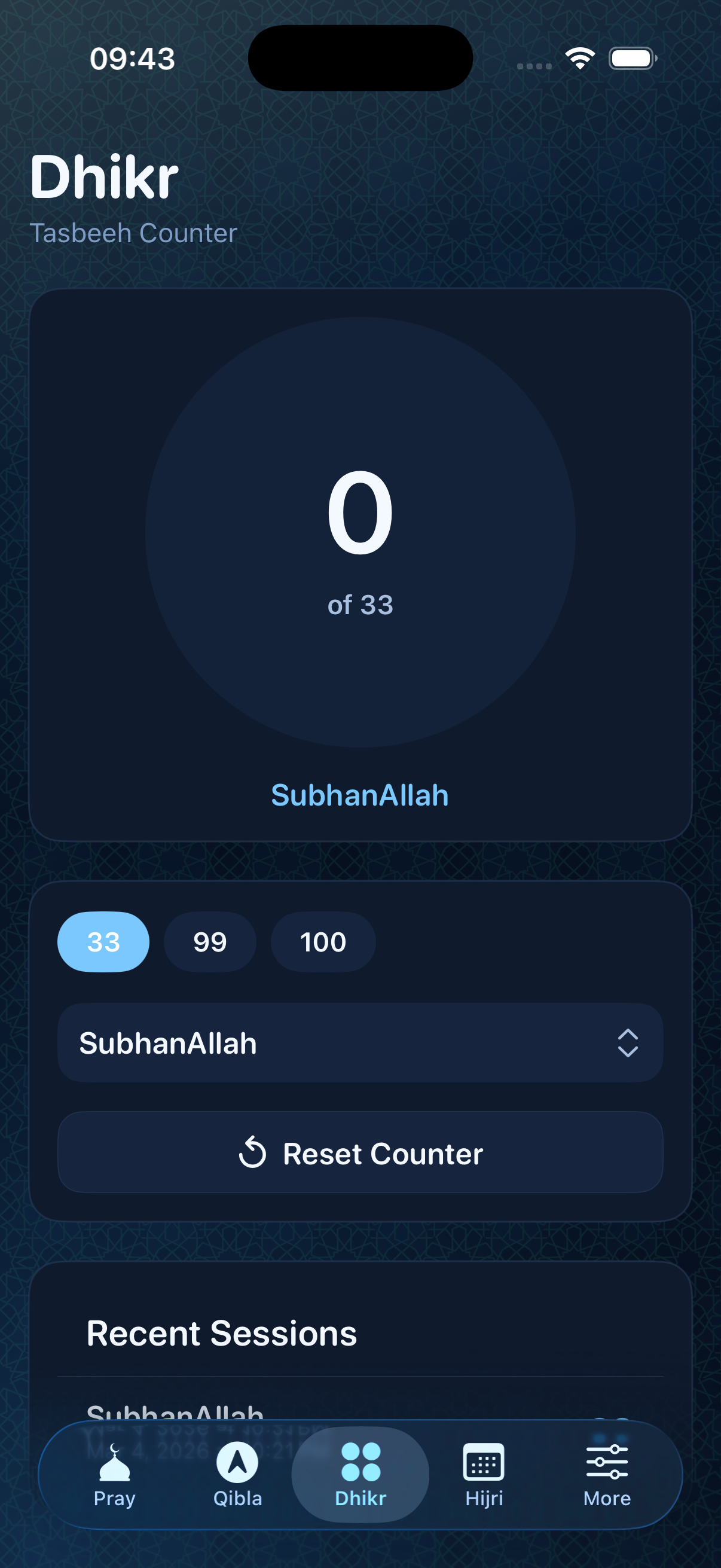
The Tasbeeh counter provides a distraction-free digital dhikr experience with customizable targets, multiple dhikr types, and session history.
1
Tap the Dhikr tab in the bottom navigation to open the counter.
2
Tap the large circle to increment your count. A progress ring shows your progress toward the target.
3
Choose your target (33, 99, 100, etc.) and select your preferred dhikr type (SubhanAllah, Alhamdulillah, Allahu Akbar, etc.).
4
Completed sessions are automatically saved in your Recent Sessions history.
Tasbeeh Counter Display

Hijri Calendar

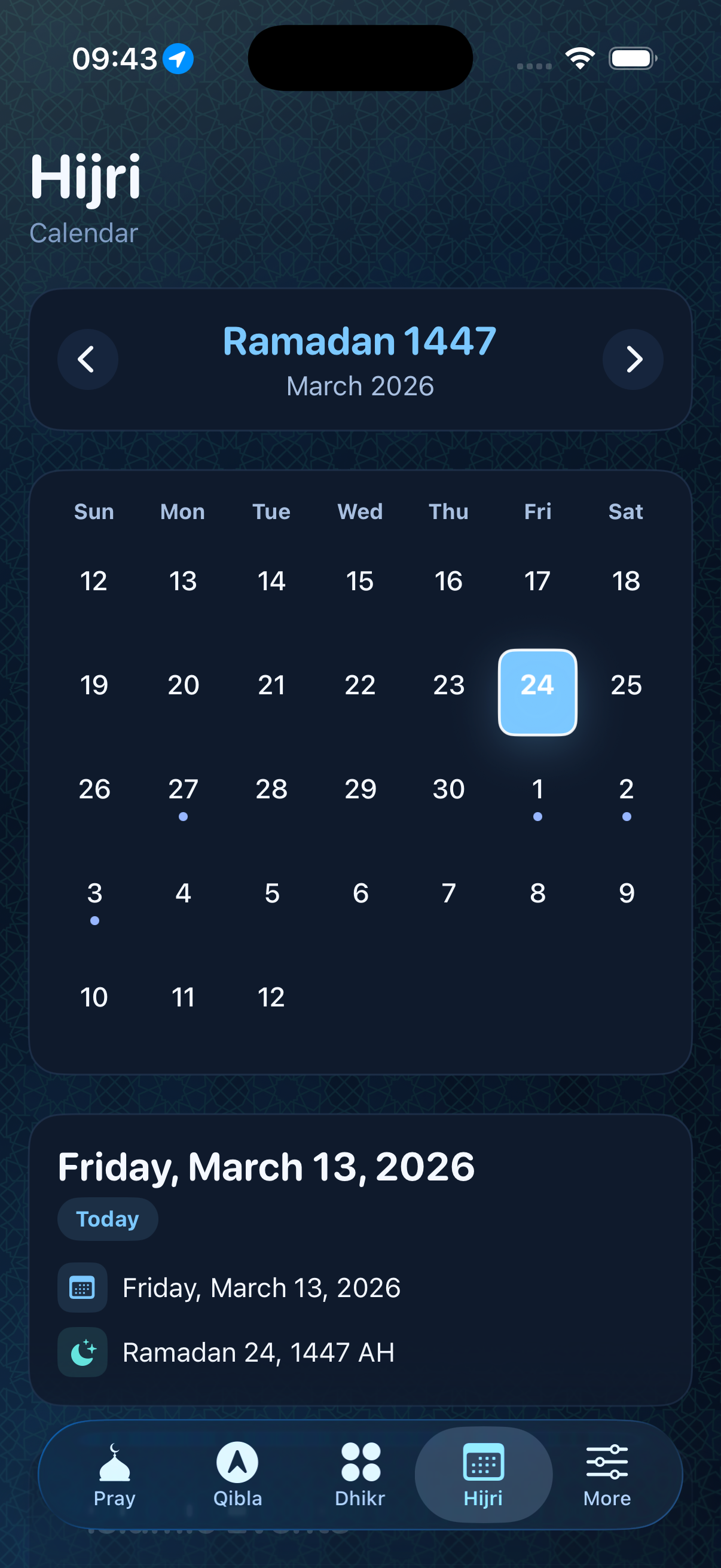
The Hijri Calendar provides a full Islamic calendar view with month navigation, Islamic event tracking, and a Ramadan progress tracker.
1
Tap the Hijri tab to open the Islamic calendar view.
2
Use the arrow buttons to navigate between Hijri months. The Gregorian equivalent is shown below.
3
Tap any day to see its full Gregorian and Hijri date details. Days with Islamic events are marked with a dot.
4
During Ramadan, a Ramadan Tracker card appears at the bottom showing your progress and days remaining.
Hijri Calendar Display

Application Settings

Configure NourAthan to perfectly match your location and calculation preferences.
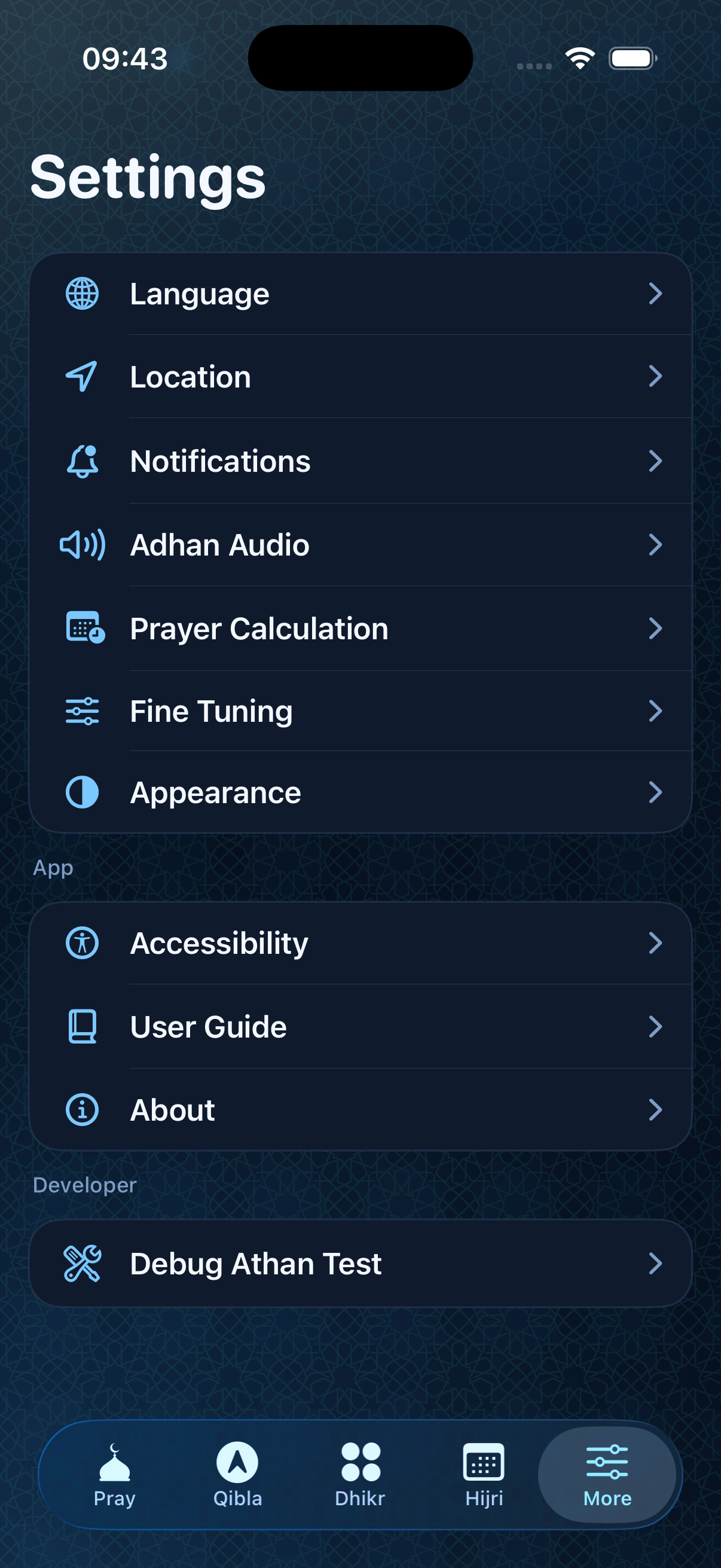
1
Tap the Settings gear icon in the bottom navigation.
2
Adjust your Calculation Method according to your local Islamic authority.
3
Set your preferred Asr Juristic Method (Standard or Hanafi).
Settings Display

Language & Localization

NourAthan natively supports multiple languages with full Right-To-Left (RTL) interface adaptation for Arabic.

Language Switch Display
1
Navigate to the Settings tab.
2
Scroll to the Language section.
3
Select your preferred language. The entire application interface will update instantly without needing a restart.